|



|
Lesson: Lung Module
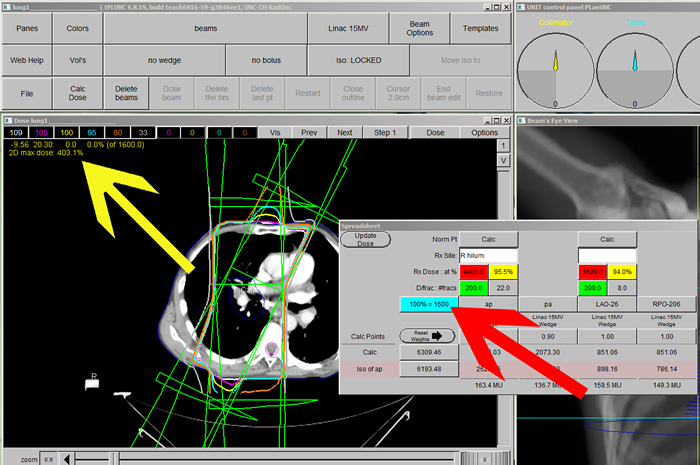
Once that plans are merged, you may notice that the plan has a very high dose percent (Yellow Arrow). This is because the 100 % line displayed is at the dose level of the last plan imported into the composite. To change this to the correct total dose, change the “100%=” box in the dose window (blue box – Red Arrow ) to the new correct total, 6000. Now click, “Update Dose” and then “Calc Dose” to reveal the composite plan.
|
 |